
Tap in
Kids clock in on the Hub to spend the tech-time minutes they’ve earned from chores.
One family calendar, on your phone and on whatever's handy at home, even that old tablet or iPad in the drawer. Kids do their jobs and earn tech time, pocket money and trophies, and Hub Lock locks their Android device when their tech time is used up.
Start your 14-day free trialFamily Home Hub is a family calendar that lives on a tablet on your kitchen wall or bench, and on every phone in the house. Appointments, sport and school things sit together, colour-coded for each person, so the whole week is in plain sight.
It also takes over the reminding you'd normally do yourself. Kids tick off their own morning, afternoon and bedtime routines, earning tech-time minutes and pocket money as they go. You stop being the reminder, and the house gets a little quieter.
This is what a weekday looks like for our family.
The kids are up, breakfast is happening, and the morning routine is already on the Hub. Bed made, teeth done, lunchbox in the bag, each one ticked as it happens, and with every tick, their tech-time minutes add up. Nobody asked them twice. Nobody asked them at all.
Shoes on, keys in hand, and a quick glance at the week: tennis after school, gymnastics tomorrow, Nan’s birthday coming up. It’s all laid out, synced straight from your Google Calendar. And it keeps everyone in the loop. Dad’s already at work, and at 7:30 am his phone buzzed with a Hub notification: chores ticked and kids ready for school.
Home from school, in through the door, they know what to do. Lunchboxes unpacked, school bags away and a quick tidy of their rooms, the afternoon routine ticked off without a parent having to say a word. Once they’re done, tech time can start: they tap in, devices unlock, but only with minutes they’ve earned.
As their time runs low, Hub Lock beeps at five minutes and again at one minute, and a red bar counts down the last minute. When it's used up, their devices lock automatically. They've had their heads-up, so there's nothing to argue about. The lock screen suggests something else to do, from the ideas we wrote in: today it was the trampoline.
It’s time to think about dinner. The Hub shows the week’s meals already planned, with tonight’s stir‑fry sitting right at the top. The ingredients went onto the shopping list days ago, so the supermarket was easy, everything grouped into the same categories you’ll find on the shelves. If your partner notices something missing, they add it on the Hub and it’s on your phone within seconds.
With ten minutes until bed, the evening routine slips into gear. The kids clear the table, get into their pyjamas and tick off each chore as they go. Teeth brushed, toilet done, goodnight said, and a few more minutes earned. No nagging, no repeating yourself five times. And as they build good habits, their trophy card fills with streaks they’re proud of.
That's a weekday at our place. Not perfect, but a lot calmer than it used to be.
Hub Lock · Android early access
Hub Lock turns the tech-time minutes kids earn into real limits on their Android devices. The kids get a heads-up before time runs out, then the device locks. No haggling over “just five more minutes”, and one less argument at home.
Kids clock in on the Hub to spend the tech-time minutes they’ve earned from chores.
Minutes tick while they play
Tech time runs on its own. You don’t have to watch the clock: Hub Lock beeps at five minutes, one minute and ten seconds, pops up a ‘1 minute left!’ notice, and shows a red bar for the last minute.
Mia, your tech time is all used up.
🌳 How about the trampoline?
✅ Want more? Do some chores on the hub.
Hub Lock · Family Home Hub
When minutes run out, Hub Lock locks the device and suggests something else to do, picked from the ideas you write for each child.
Early access on Android through Google Play closed testing: we send a tester link; it isn’t on the public Play Store yet. Public listing planned for 26 October 2026.
One plan with every feature, for the whole family. Pick how you'd like to pay.
Yearly
First year A$59
then A$79 a year from renewal · offer ends 31 Dec 2026
Monthly
A$6.99
until 31 Dec 2026, then A$8.99
Both open secure checkout. Start the trial and nothing is charged for 14 days. Subscribe starts today, no trial. What's included
Why a dad in Ballarat built it.
Like a lot of parents, I was worn out by how busy family life had got. Work, school, sport, appointments, and two kids who didn't always do what they needed to do unless they were asked. Then asked again.
So I made a wooden chore board for the kitchen bench, with a picture for every step of our bedtime routine: pyjamas on, clothes away, teeth brushed, toilet done, then off to bed. It helped, and it showed me something. When kids can see what's expected and tick it off themselves, bedtime gets calmer. That board was Home Hub version 1.0.
Family Home Hub is what it grew into. It was never meant to be a business. It's the Hub our own family runs on every day, and our two kids have helped build it, testing every feature and coming up with plenty of their own ideas along the way. If something doesn't make our own week calmer, it doesn't make it into the Hub.
Say g'day any time: hello@familyhomehub.au. Follow along as we get it out the door on Instagram and Facebook.
These are real screenshots from the app we use at home. What you see is what you get.
The day, the week and the whole month, up where everyone can see them. It syncs with each person's Google Calendar (or iCloud) and gives everyone their own colour. When the plan's in plain sight, less sneaks up on you.
Plan a week of dinners in one go. Stuck for a night? Tap it and "How about…" suggests a couple of the meals your family already cooks. Plans changed? Drag a dinner onto another night to swap them. When the week's planned, the Hub suggests the ingredients, you tick off what's already in the cupboard, and the rest goes on the shopping list. Add a night-before note like "take the mince out" and it pops up the evening before. Tonight's dinner shows on the clock and the morning card, so nobody needs to ask what's for tea.
⭐ Routines & rewards
Kids tick off their own routines on the Hub, banking tech-time minutes and building streaks they’re proud of. You stop being the reminder.
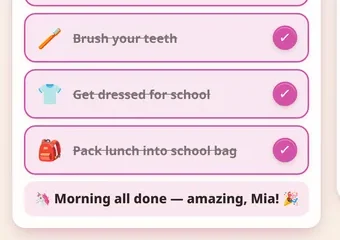
Mia ticks off her own morning jobs: bed made, teeth brushed, lunch in the bag.
Every tick banks tech-time minutes, ready to spend once the jobs are done.
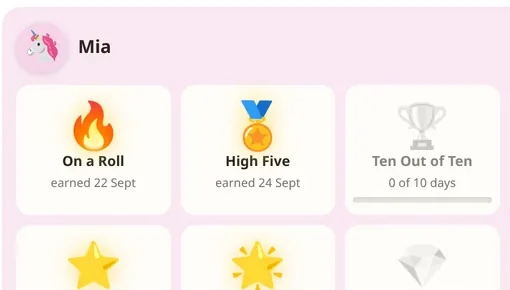
Keep a streak going and the Hub hands out the silverware. Nobody wants to break a streak they built.
Got a job that needs doing? Add a one-off like mowing the lawn, weeding the garden or washing the car, and put a dollar amount on it. The kids can take it on if they want, and it gets them to their savings goal a bit quicker.
Mia, you have 4 min in the bank.
▶ Clock in on the hub to play!
Hub Lock · Family Home Hub
Hub Lock is what makes the Hub different. It's our companion app for the kids' Android devices (in early access now), and it links their jobs to their screen time. They earn tech-time minutes by doing chores. The device stays locked until they clock in on the Hub, then it unlocks and counts down.
Hub Lock gives them a heads-up with beeps, a ‘1 minute left!’ notice and a red bar for the last minute, then it locks. No arguing, no haggling over ‘just five more minutes’. It's one less thing for you to referee.
The phone app is the very same Hub you've got on the tablet or iPad on the kitchen bench: same screens, same layout, same settings. There's no second app to learn. Whatever you set up at home is already there when you walk out the door, and a birthday invite snapped at school pick-up or a sticky note typed at the bus stop is waiting on the bench when you get home. It's simply a mini Family Home Hub, in your pocket.
Trip coming up, or a birthday the kids keep asking about? Put a countdown on the Notes screen and the "sleeps to go" show up on the screensaver, keeping the excitement bubbling. And as the big day gets closer, describe the trip to the packing helper and it drafts your suitcase list for you. Never leave the phone charger at home again.
🛒 Shopping list
One family list, sorted the way your supermarket is laid out. Whoever spots the empty milk bottle adds it, and it’s on every family phone in seconds.
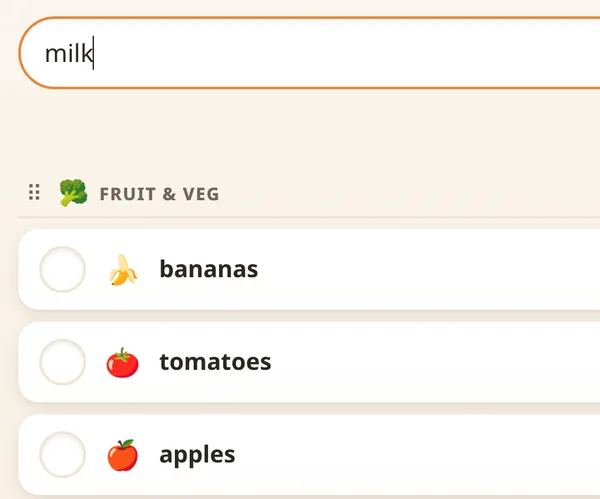
Someone spots the milk’s nearly gone and adds it on the Hub in the kitchen.
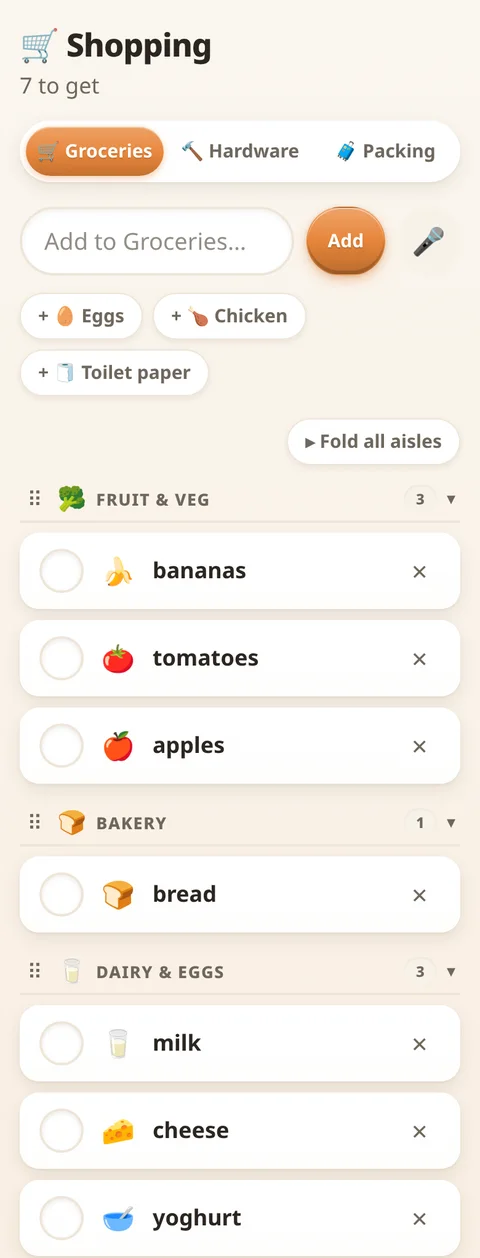
It’s on your phone in seconds, even if you’re already halfway down aisle four.
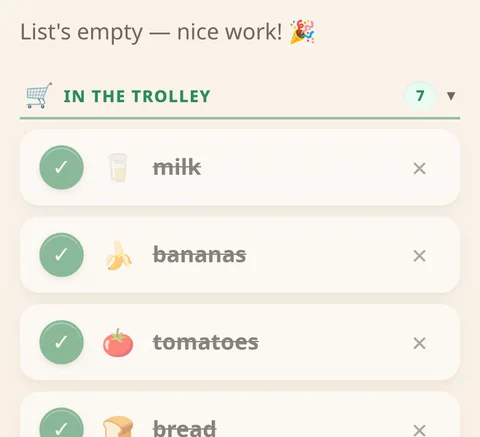
Tick things off as they go in the trolley. It’s all in the bags, so there’s no second trip.

Pick a colour theme for each screen, or go further and put a moving scene behind it: under the ocean, a city at night, or a swing in a country paddock at sunset. The kids get to set up their own profiles too, with AI-made avatars and their favourite colours.
Streaks, perfect days, first-time milestones: the Hub keeps score and hands out the silverware. Every trophy is earned, never given, and the collection is theirs to show off. It's what keeps routines going once the novelty of week one wears off. Nobody wants to break a streak they built themselves.
A living sky (sun, drifting clouds, rain on the glass, the real moon phase) over your town's actual week ahead. And on the days it matters, it says so plainly: frost warnings the evening before, rain with an actual time ("rain around 3 pm"), big wind, extreme UV. On an ordinary day it keeps quiet, so when it does speak up, you know it means it.
☀️ Morning brief
The first person to open the Hub each day gets a card with today’s line-up, the weather and tonight’s dinner.
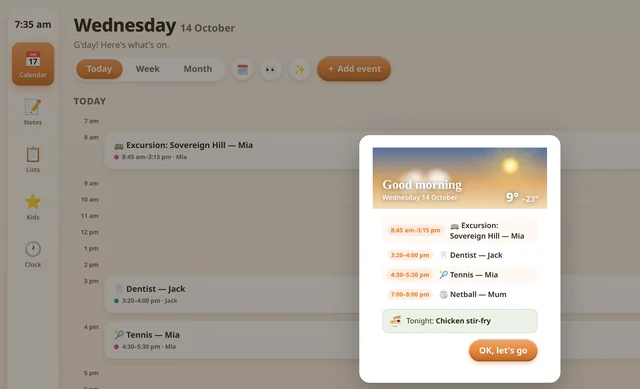
Open the Hub at breakfast and the day’s rundown is waiting.
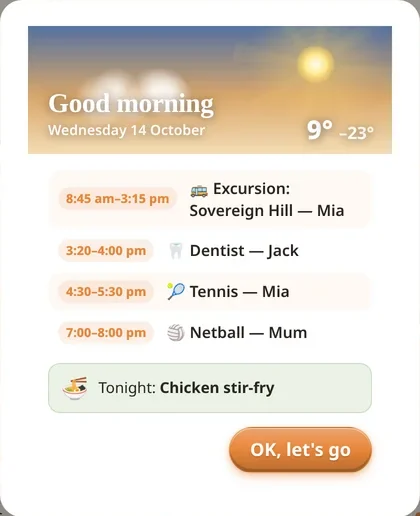
Every appointment, the weather, and tonight’s dinner at the bottom.
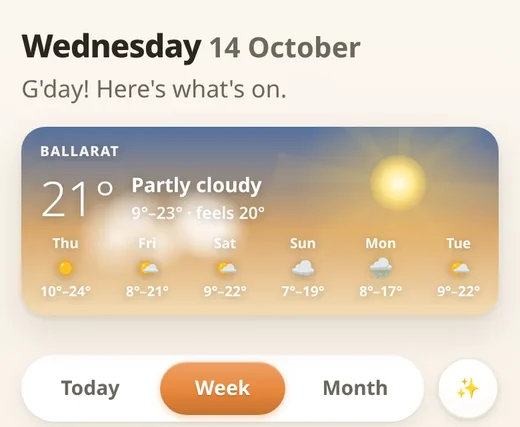
Tap “OK, let’s go” and you’re away. A morning notification can also bring the line-up to your phone at a time you choose.
When nobody's using it, the Hub turns into a photo frame: your own family photos drifting past, the time, the weather, the next thing on, and the kids' countdowns ticking off the sleeps. Pick your favourites straight from Google Photos. It earns its spot on the wall even when nobody's touching it.
Questions about anything here? There's a full instruction manual inside the app, and a real family behind it: hello@familyhomehub.au.
Pick monthly or yearly. Nothing is charged for 14 days. Your setup code is shown the moment you finish and emailed to you as well (lost it? get it back here).
Any tablet or phone with a browser. Sign in with Google, enter your code, and your Hub appears.
Connect your calendar and let the calm set in. The week is sorted in one spot, the kids know what's next, and when tech time's up, Hub Lock makes the call, not you.
Yearly
First year A$59
then A$79 a year from renewal · offer ends 31 Dec 2026
Start the trial and nothing is charged for 14 days. Subscribe starts today, no trial.
Monthly
A$6.99
until 31 Dec 2026, then A$8.99
Start the trial and nothing is charged for 14 days. Subscribe starts today, no trial.
No special screen to buy · one price for the whole family · Hub Lock included on Android (early access)
Live with it for a fortnight first. If it doesn't earn its place, let us know why: hello@familyhomehub.au
Start your 14-day free trial above and pick monthly or yearly. Nothing is charged for 14 days. The thank-you page shows your setup code and we email it to you too: open the Hub, sign in with Google, enter the code once, and your Hub is made. After that it's just signing in.
Any tablet or phone with a modern browser: the Android tablet in the drawer, an old iPad, even a spare phone propped on the bench. There's no special screen to buy, and if you're shopping anyway, any cheap current tablet is more than enough.
Yes, the Hub runs in Safari like anywhere else. For notifications on an iPhone or iPad, add it to your Home Screen first (Share → Add to Home Screen). Hub Lock, the part that locks the kids' devices, is Android only.
Hub Lock is a small Android app that pairs to your Hub with a code. It's in early access through Google Play's closed testing, so we send you a tester link and it installs from the Play Store. The public listing is planned for 26 October 2026.
When earned time isn't running, it locks the device and points them to the Hub, and it holds firm through restarts, offline tricks and creative children. There's no iPhone or iPad version yet; plenty of families simply keep tech time to shared Android devices.
As many as you like. Add every kid, sign in on every phone and tablet in the house, and pair Hub Lock to as many Android devices as the kids have. One price covers the whole family.
Yes. In Parent mode, Household shows a QR code: they point their phone camera at it, sign in with Google, and they're in, seeing everything you see. There's a link to send by message as well.
The calendar shines brightest connected to a family Google Calendar or iCloud, but the rest of the Hub (routines, tech time, lists, notes, countdowns) works fully without it.
Yes. Cancel before day 14 and you're never charged. After that, email hello@familyhomehub.au and it's done the same day, with no questions and no hoops. Your family's data stays readable afterwards.
The Hub becomes read-only: photos, trophies and history stay visible, nothing is deleted, and everything wakes back up if you return. We think holding your family's memories hostage is a rotten business model.
Yes. Your household's data belongs to your household. It's never sold, never used for ads, and each family's data is walled off from every other family's. The kids' devices run Hub Lock with no account and only your child's first name. The full story is on our privacy page.